Click here to learn more about lead sources.
How To Use Account Referrals?
Accounts:
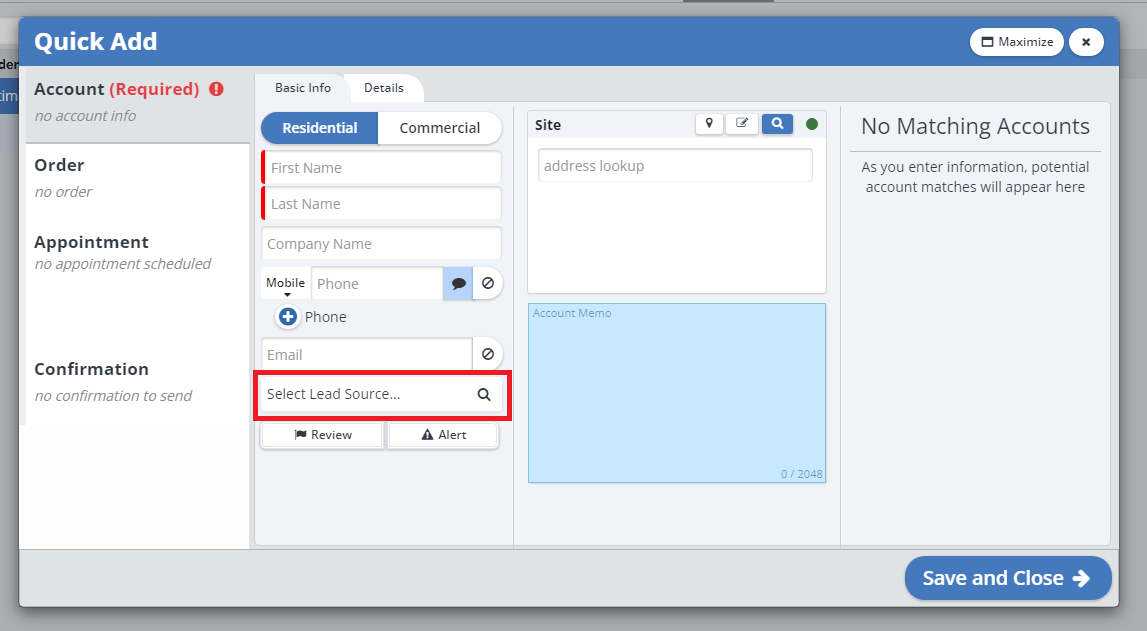
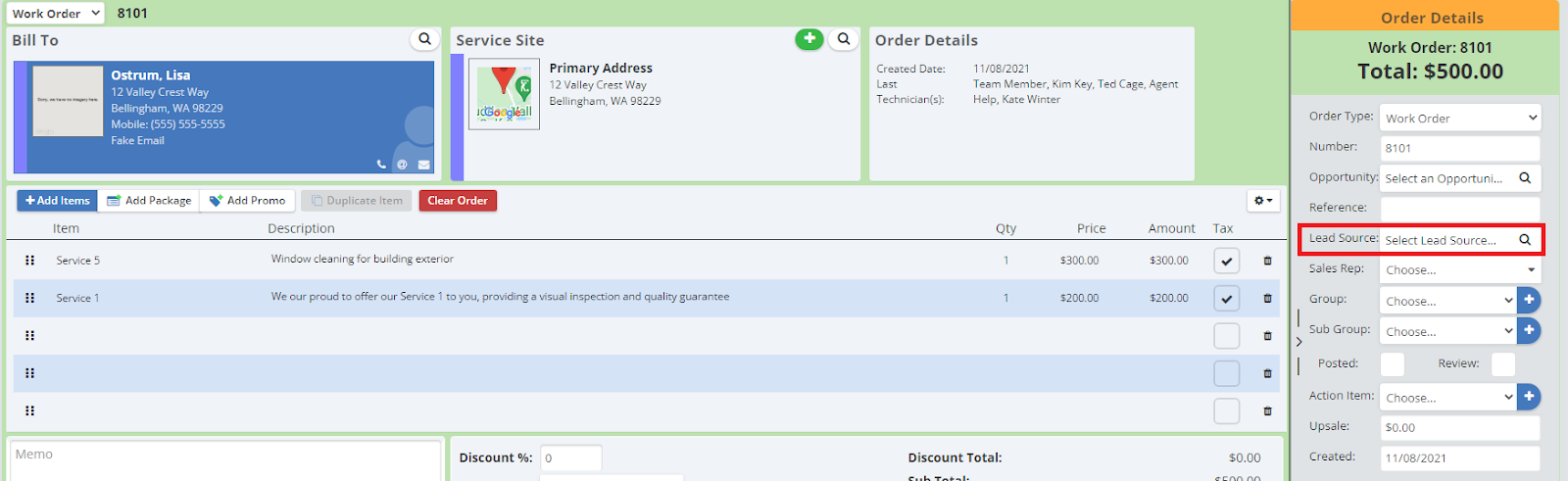
When creating a new account in the system, click on the magnifying glass icon next to where it says “Select Lead Source”.
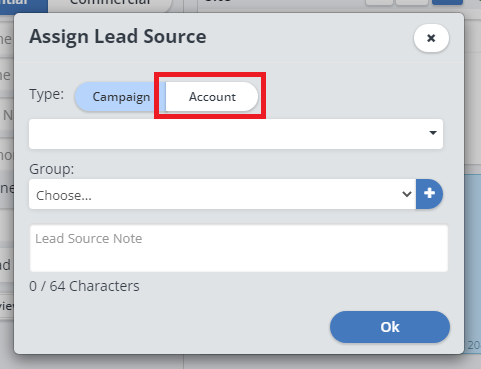
Search for or scroll to find the account that referred this client to you, are select their name.
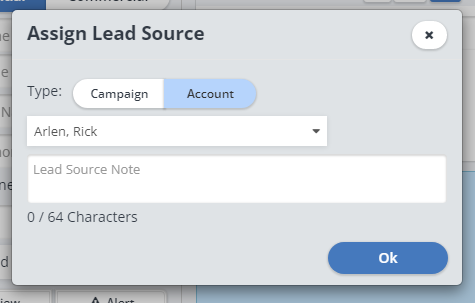
Click “Ok”. That account will now be selected as the lead source for the account you are creating. The account you are creating will now be listed under it’s “Referrals”.
Orders
From an order, you can also select an account as the lead source, which will also add it to the “Referrals” page.
How To View Account Referrals?
Account Page
To view the orders or accounts that use this account as a lead source, open the account page for the account you would like to view the referrals of.

Click on the “Referrals” tab.
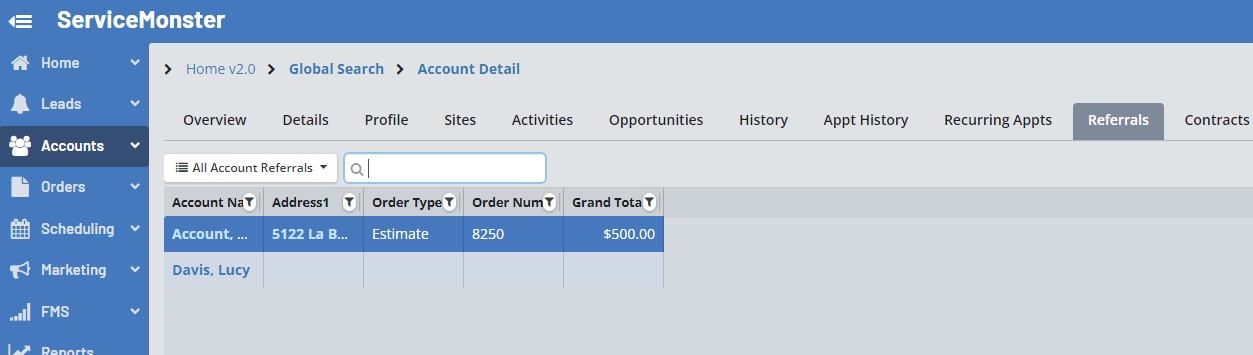
Here you will be able to see all other accounts that have used this account as a lead source for the account or order.
Account List Page
You can also view Referring Accounts from the Account List page by using the “Referring Accounts” view filter (Drop down menu underneath the “+Account” button).
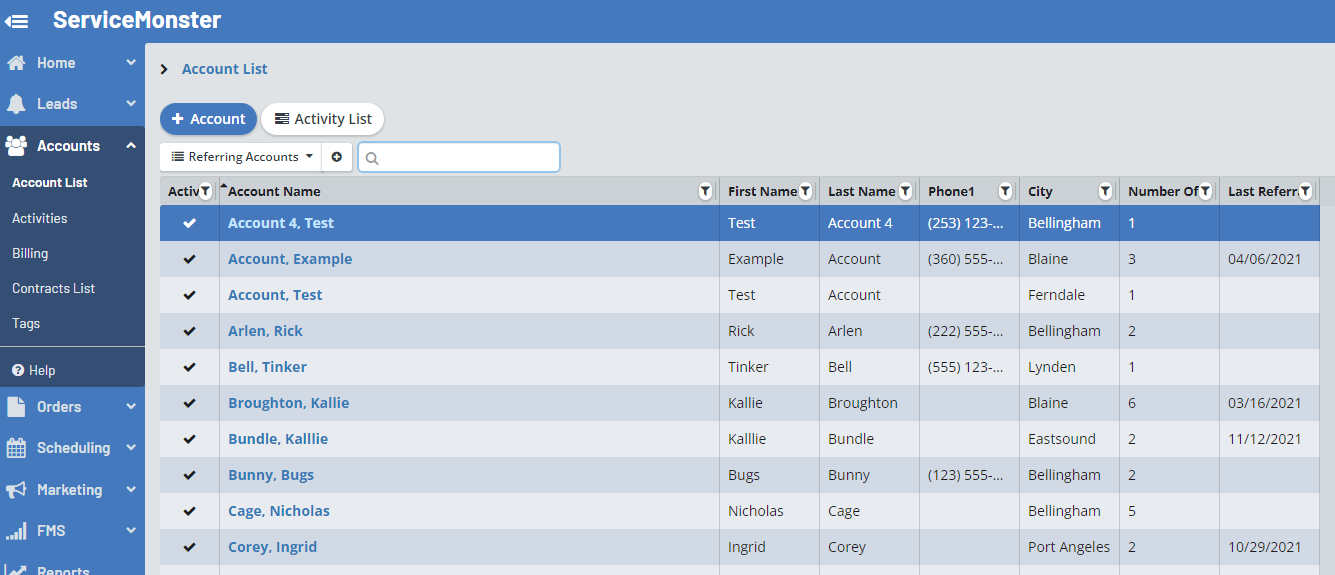
You can also see the date of the last referral from this filtered view, as well as the number of accounts they have referred to you.
Reports
There are a number of different reports that look at lead source information.
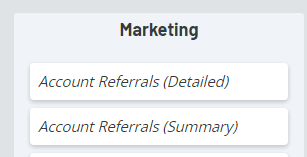
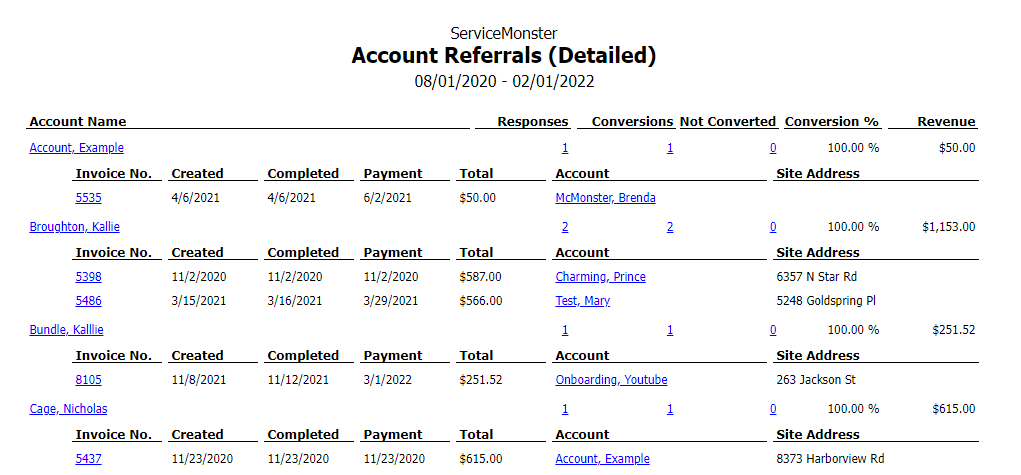
Account Referrals (Detailed)
You can use the report Account Referrals (Detailed) to view a list of all account referrals during a time period, including account and invoice information, as well as the number of conversions for that account.
Account referrals (Summary)
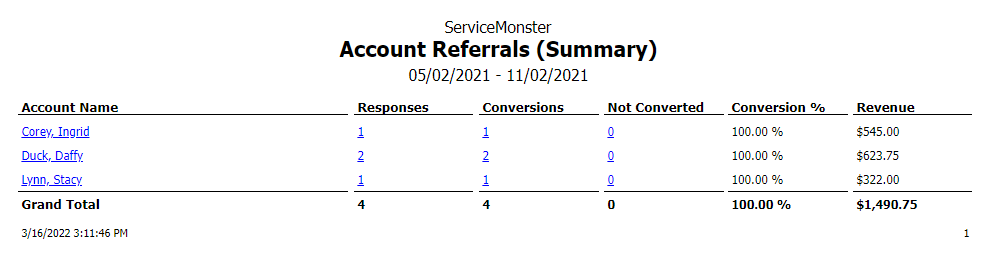
Account referrals (Summery) show a more simplified view.