
Note: Using Proposals requires you to enable to Order Approval option within Marketplace. This is free to use, and you can learn more here: Order Approval Wizard
Step 1: On the Overview tab, look for the new option to view existing open proposals.
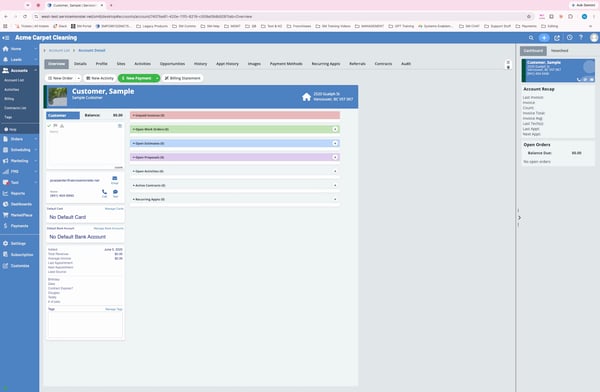
Step 2: You can also access proposals from the Details tab.
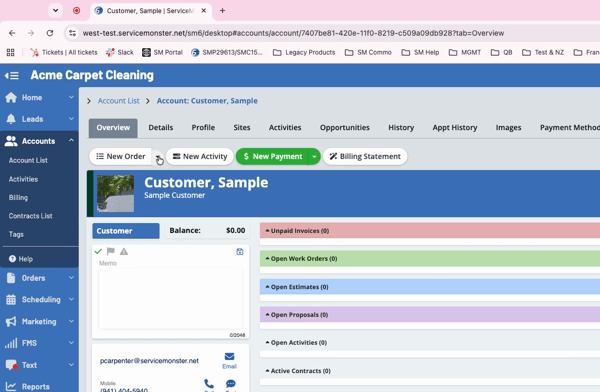
Step 3: Next to the new Order button, click the drop-down menu and select Proposal.
Step 4: Proposals are highlighted in purple to distinguish them from standard estimates.
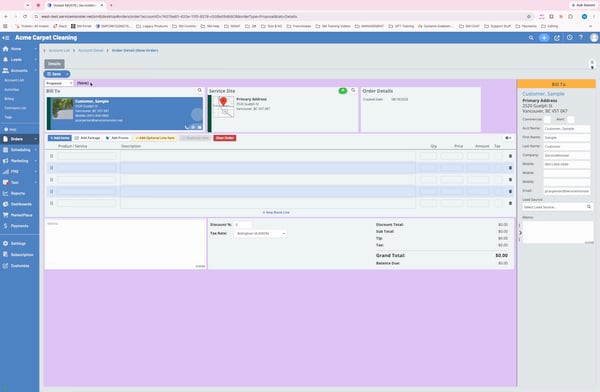
Step 5: Add your line items as usual. Start with the main reason the customer contacted you.
Step 6: Add optional service items by clicking Optional—for example, pet urine treatment as an add-on during carpet cleaning.
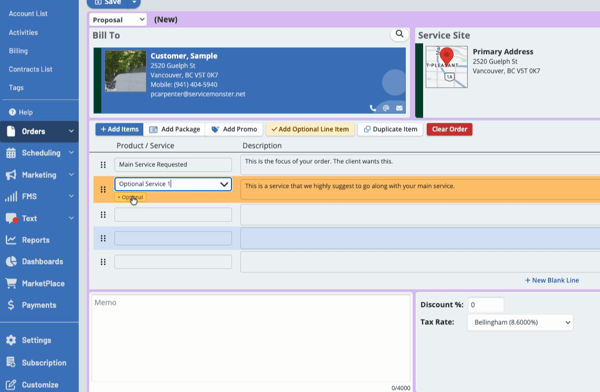
Step 7: The optional service appears in the menu. Mark it as Recommended if you want it pre-selected for your customer.
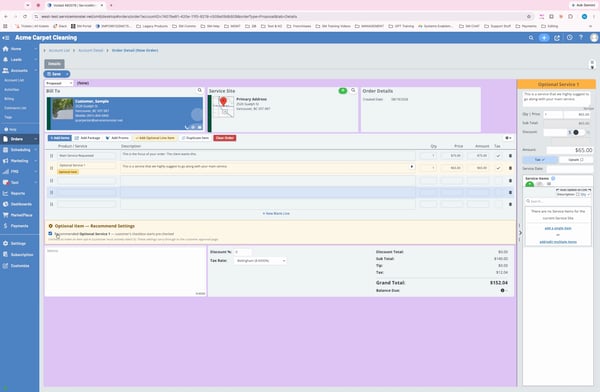
Step 8: Add other services your customer might consider while you’re at their location.
Step 9: Leave boxes unchecked if an item is just a suggestion, not a recommendation.
Step 10: Click Save to keep your proposal.
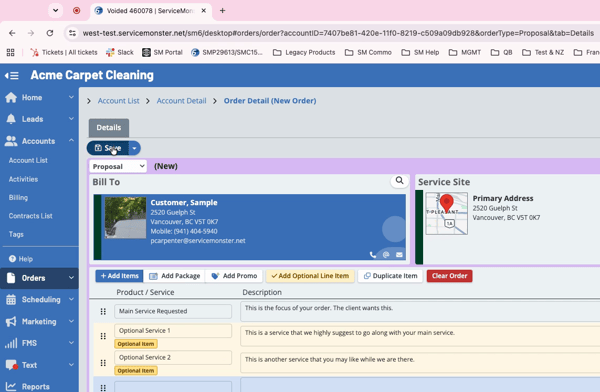
Step 11: Click Send for Approval. This opens a pre-made email template with the proposal link included.
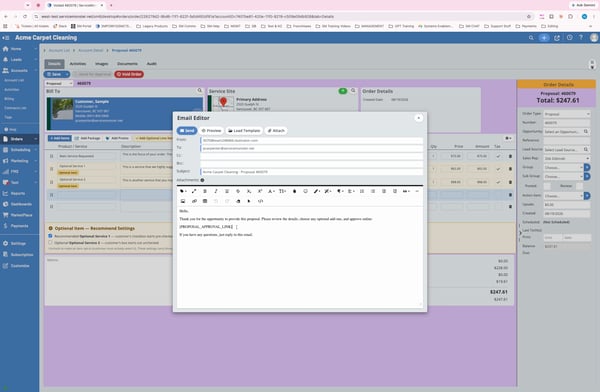
Step 12: Click Preview to see what your customer will receive.
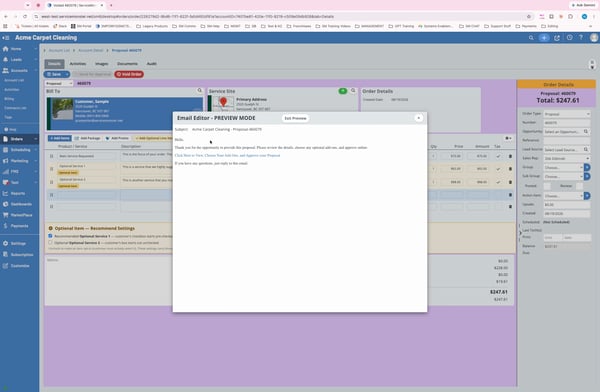
Step 13: When your client receives the email, they can click the link to view the proposal.
Step 14: On the proposal page, customers see the main requested service, and any recommended optional services come pre-checked. Customers can select or deselect these options, which automatically updates the total price.
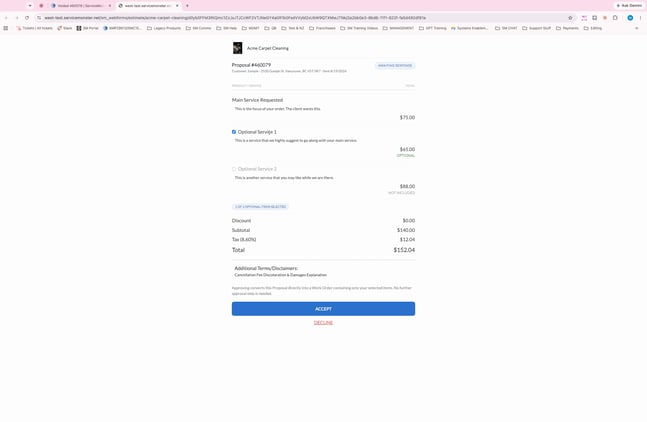
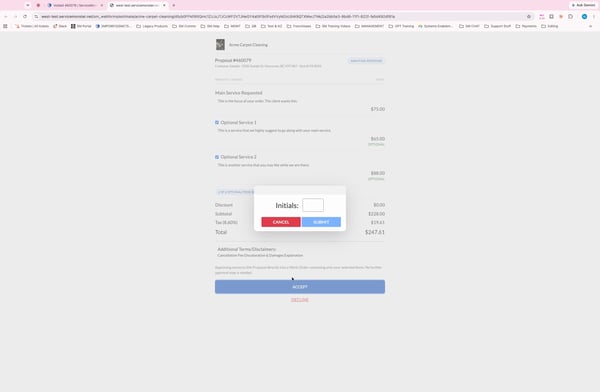
Step 15: Customers can view disclaimers and, once satisfied, click Accept, enter their initials, and submit.
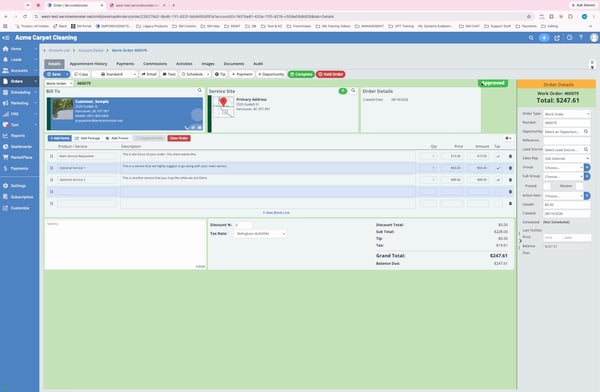
Step 16: Once accepted, the proposal is automatically escalated to a work order in Service Monster and marked as approved.
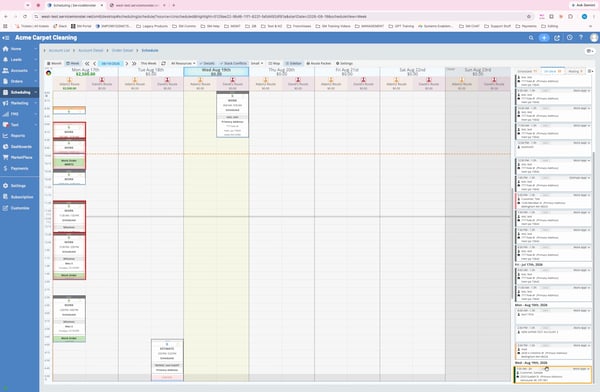
Step 17: Click the Schedule button on the work order screen, choose your date and time, and confirm the appointment.
Offering proposals is an easy way to give your customers tailored options and boost your conversion rate. If you have questions, contact the support team at 888-901-3300.