
Click here to learn more about merging accounts.
Finding Duplicate Accounts
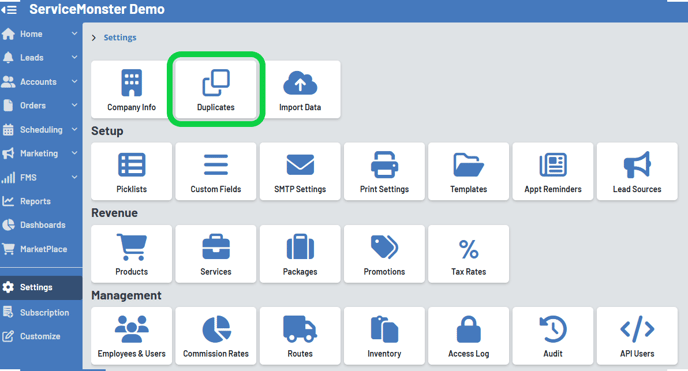
From "Settings" in the Main Menu, select the "Duplicates" icon.
Note: This feature is only available with Grow and Premier plans.
Here you can use the Group By dropdown to view your duplicates by which areas have a similar match.
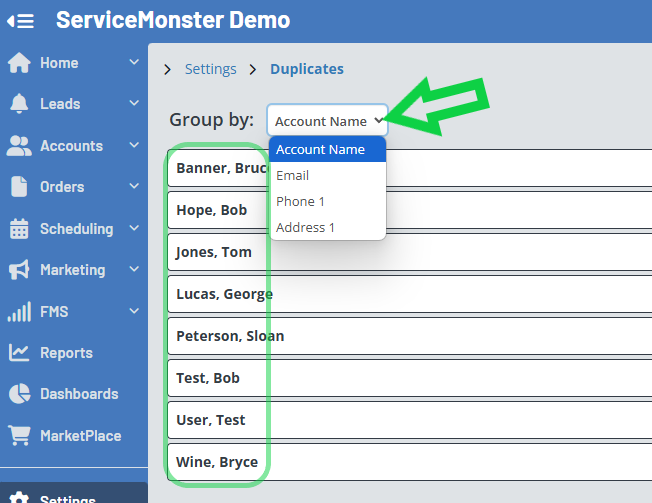
In the column titled “Match” you can see what the matching feature is. The system will compare name, phone number, email address, and site addresses.
If two accounts have the same details, they will appear next to each other on this list.
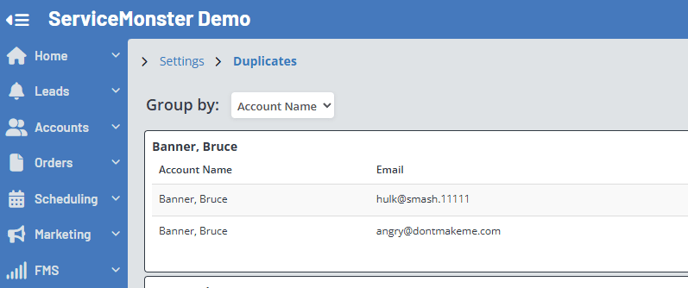
Clicking on the Account Name will open the details for that account.

If you these are actually two accounts for the same person, we can merge them into a single account. Learn more about merging here: Merging Accounts and Leads