
Step 1: Log into the SM Pay Portal
-
Access the SM Pay Portal on the left side under the Payments ($) category.
-
Navigate to the Transactions section.
-
Click on Payments to begin the refund process.
Step 2: Locate the Transaction
-
Search for the specific transaction that requires a refund.
-
Click on the transaction to view its details.
Step 3: Initiate the Refund
-
In the top right-hand corner, click the Refund button.
-
For a full refund, leave the amount unchanged.
-
For a partial refund, enter the specific refund amount and click the Refund button.
Step 4: Wait for Processing
-
Understand that refunds typically take 3 to 5 business days to process.
Step 5: Back to ServiceMonster
-
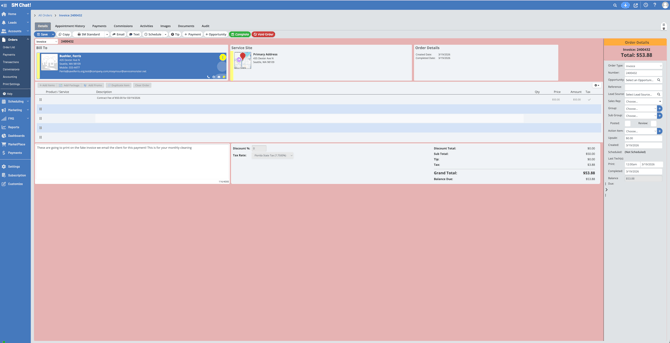
Navigate to the invoice related to the transaction.
-
Switch the invoice back to a Work Order and click Save in order to make necessary changes.
Step 6: Access Payment Details
-
Click on Payments at the top of the work order between Appointment History and Commissions.
-
Locate the charge made for the transaction.
Step 7: Copy Reference Number (if partial refund)
-
Click on the credit type "Payment" hyperlink in blue to open the Payment Details screen.
-
For partial refunds, right-click and copy the reference number.
-
Proceed to void the payment associated with the transaction.
Step 9: Use Correction Line Item (if partial refund)
-
Return to the order and begin to type the hidden line item called Correction.
-
Enter a negative amount corresponding to the refund amount.
-
Optionally, add an explanation in Description and click Save.
Step 10: Convert Back to Invoice
-
Change the work order back to an invoice and save the changes.
Step 11: Reflect Payment for Partial Refund
-
For partial refunds, click on Payment to reflect the new corrected amount.
-
Paste the copied reference number and add a brief note.
-
Click Save to finalize the process.
-
Ensure that the order reflects a zero balance.
-
Confirm that the customer will receive their funds back.
Cautionary Notes
-
Always double-check the transaction details before processing a refund.
-
Ensure that you have the correct reference number for partial refunds to avoid errors.