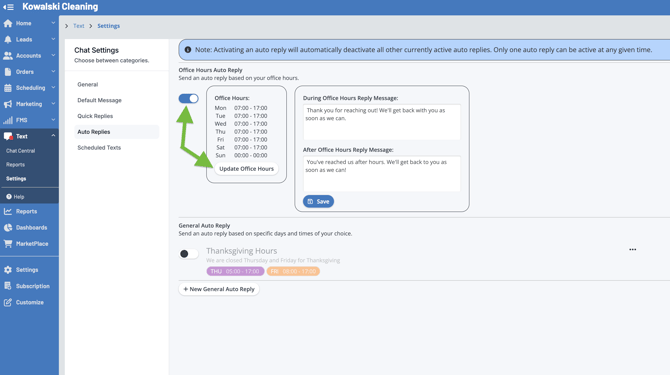
For Office Hours auto replies, click the slider to enable the feature, then click Update Office Hours to set your times.
Set the times you are open for business. If you’re closed on a given day such as Sunday, set your hours from 12am to 12am as shown below. 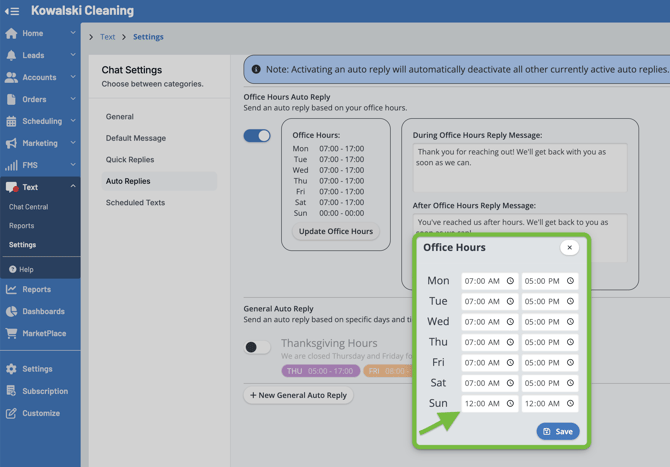
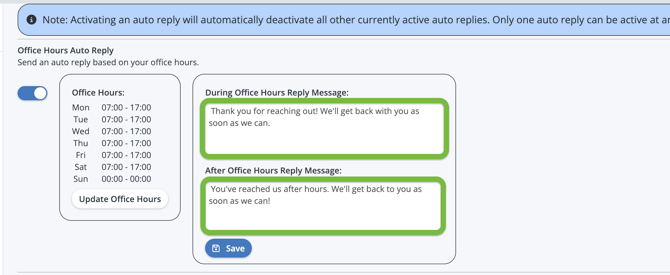
Now enter your messages for during & after hours replies in the appropriate boxes. Click Save.
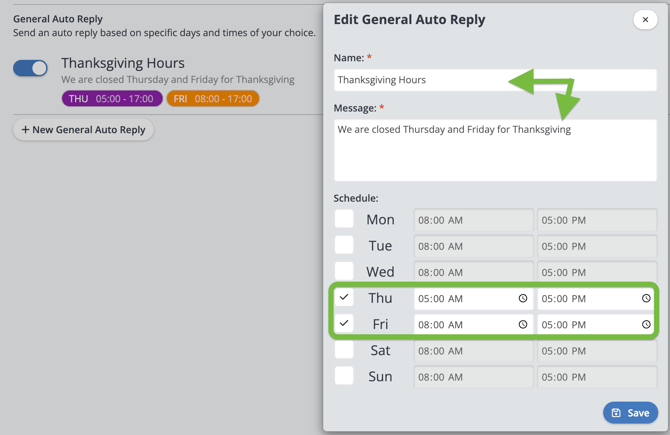
General Auto replies are great for special dates, such as holidays.
Remember that if you enable a General Auto Reply, it will deactivate any other auto replies. For example, if you set a holiday reminder using General Auto Reply be sure to re-enable your Office Hours reply as soon as possible for your standard daily message. Click save when finished.