
Collecting Deposits with Service Monster Pay’s Online Customer Portal
Taking deposits from your customers is quick and convenient using Service Monster Pay’s online customer portal. This guide walks you through inviting your customer, enabling them to make a deposit, and handling the work order and invoice workflow.
Step 1: From the account or order screen, click the Email button to send your customer a portal invitation.
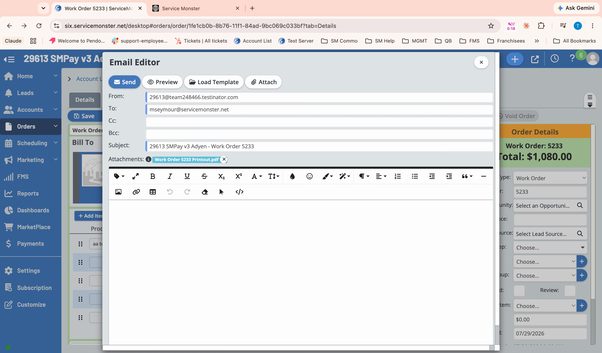
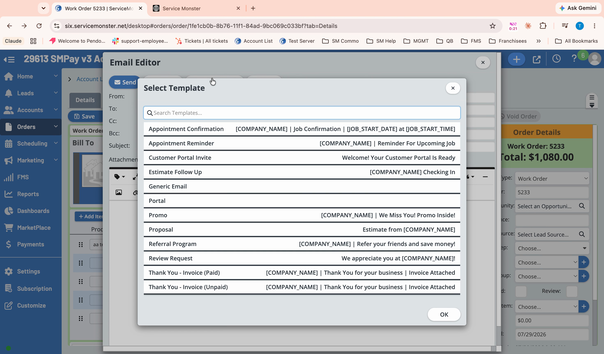
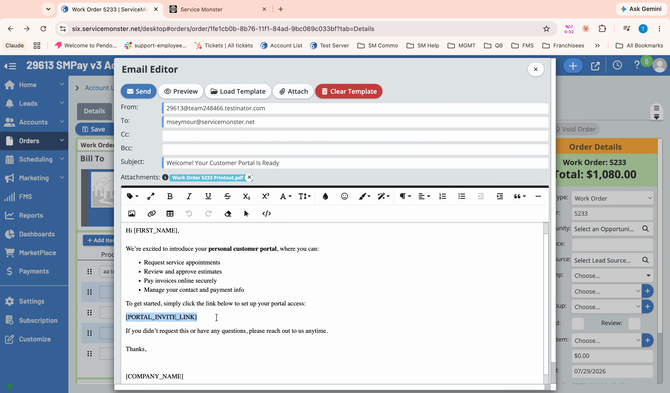
Step 2: Click Load Template and select the Portal Invite template.
Step 3: Send the email. The customer receives a clickable link that lets them create their client portal login and enter their bank account or credit card information.
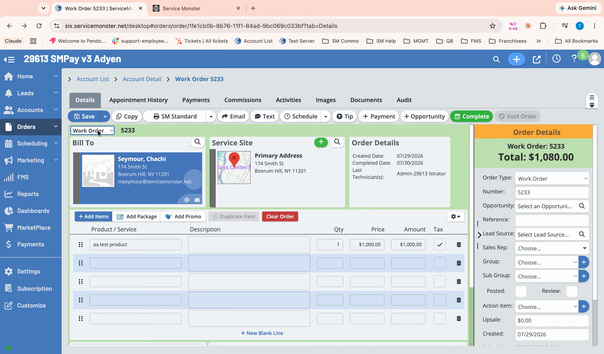
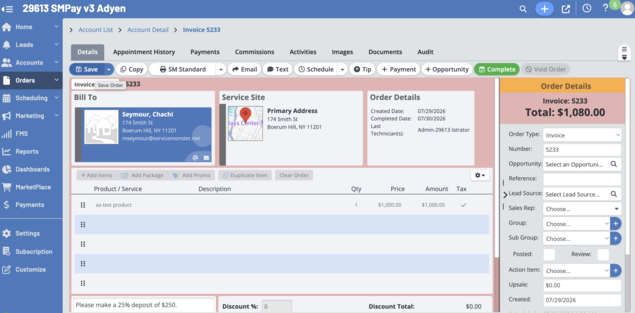
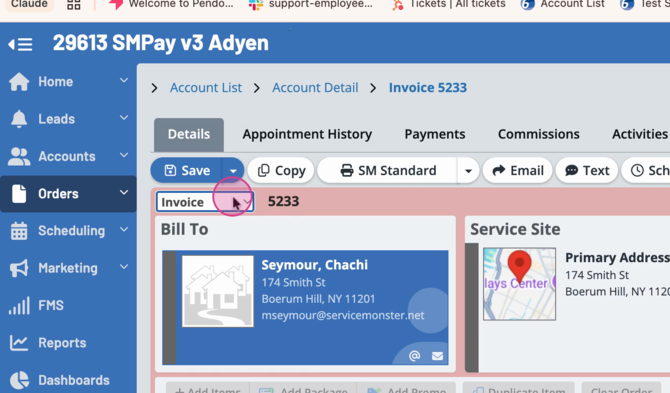
Step 4: Switch the customer’s work order to an invoice by clicking Save. Service Monster Pay's online portal only accepts payments when the order is in the invoice stage.
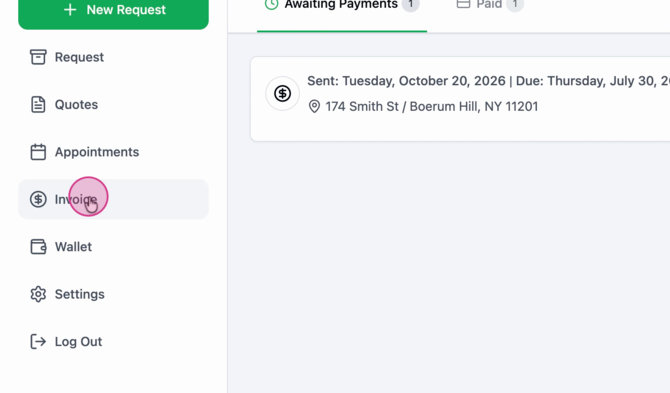
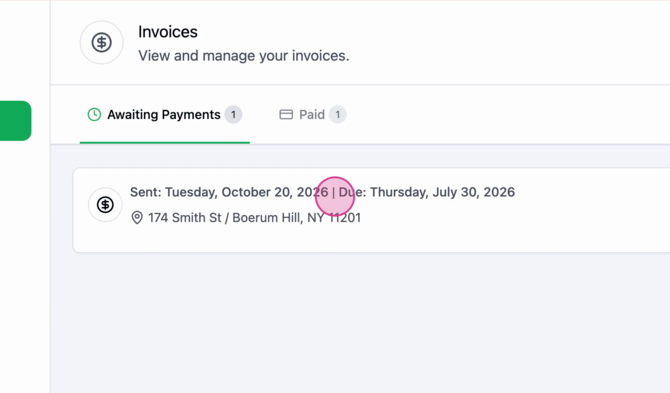
Step 5: Now the client can take action. In the customer’s online portal, they’ll see the Invoice section with invoices awaiting payment.
Step 6: When your customer opens the invoice, they’ll see options to Pay Partially or Pay in Full.
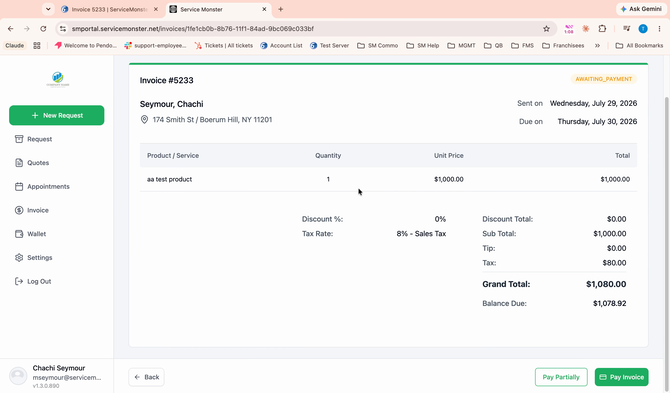
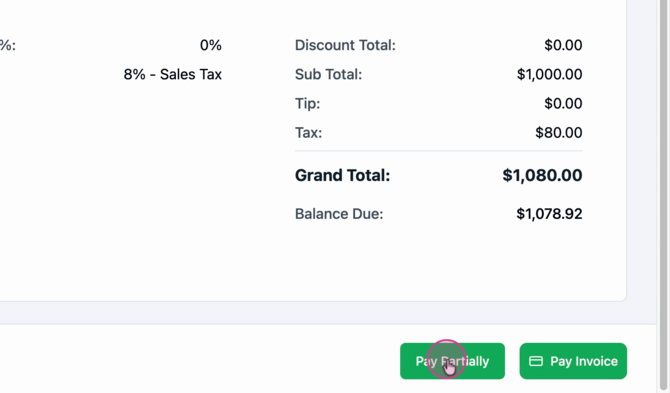
Step 7: If they choose Pay Partially, they can enter their payment information and submit the partial payment you’ve requested.
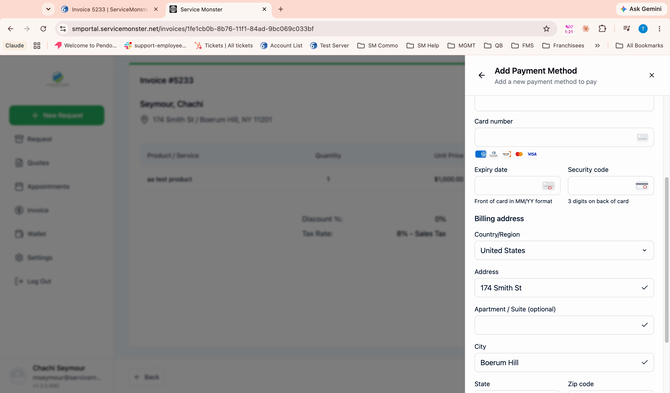
This method makes payment collection fast and convenient—your customer can do it whenever it works for them.
Once the deposit is handled, let's get to work!
Step 1: Switch the invoice back to a work order. Click Save to confirm.
Step 2: Use the Schedule button to assign and plan the job as usual.
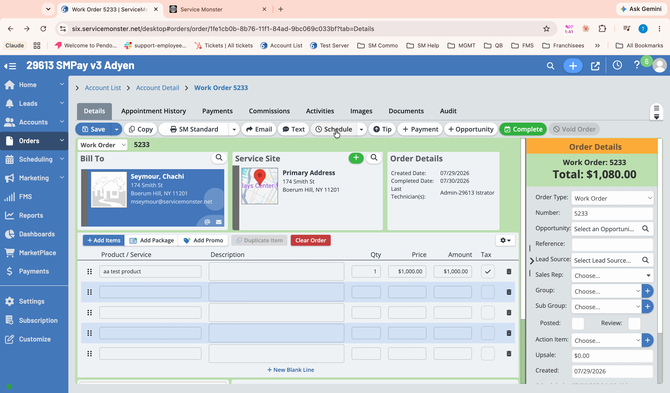
Step 3: After the work is completed, return the order to the invoice stage to reflect that you’ve finished the job and collect your remaining balance.
Collecting deposits with Service Monster Pay is simple and customer-friendly. Streamline your payment process and give your clients the flexibility to pay online with ease. For further assistance, contact Service Monster support at 888-301-3300x2.