
Instructions:
- Navigate to Finance, then Payouts
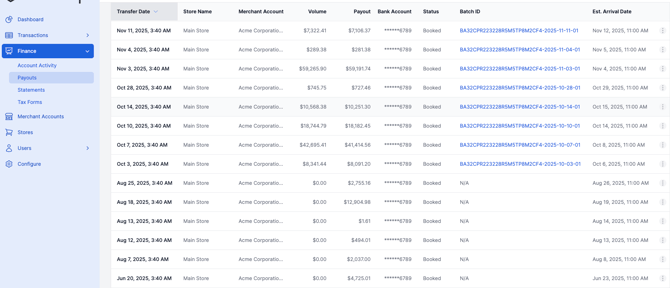
Volume = Gross Deposit | Payout = Net Deposit
-
- If the ID reflects "N/A", that simply means this particular batch is processing to be deposited. The generated ID may be delayed but will populate on the day of your deposit. You will click on the "Batch ID" that corresponds to the date you are looking for. The batch ID will be the same for the successful transactions made on the same date.
- It will then take you to the transactions associated with that batch.
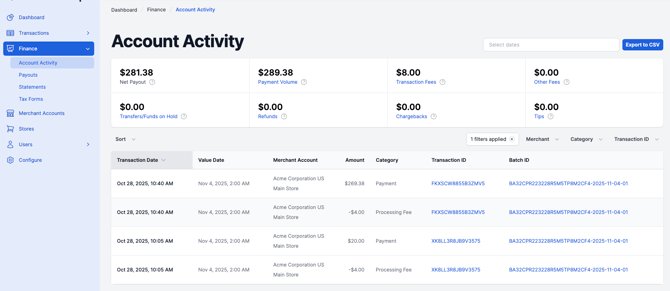
- The batch ID will be the same for the successful transactions made on the same date.
- Any declined transactions will not be found in this section. Please navigate to the "Declined Payments" section under "Transactions" for locating these.